

Welcome to the cutting-edge! These service-learning project resources are designed to make the process simpler and more powerful for all involved:
- Special website resources with detailed instruction for each project step (YOU ARE HERE)
- Customized Google Drive-based spreadsheets (a.k.a. Drive Guides) for designing and completing projects (including by participants communicating and recording progress)
These are accessible for no charge during the testing/honing phase. We can customize and share the spreadsheets once you’re ready to start designing a project. Score!
Guides Available on This Website
Each of these links leads to a new web page
- Project Preparation
- Goals and Objectives
- Class Projects Integrating Service (with product idea lists)
- Communications Overview
- Reporting
- Reflection
- Assessment
- Evaluation
- Drive Guide Request Form (to get into action)
Google Drive Guide Contents
Customized support for your project(s). Contact us if you lose your email invitation.
Planning
Completion
- Table of learning result overlap (ME Learning Results, 21st Century Skills, NexGen Science, Maine's Guiding Principles) with possible S-L goals (partial glimpse)
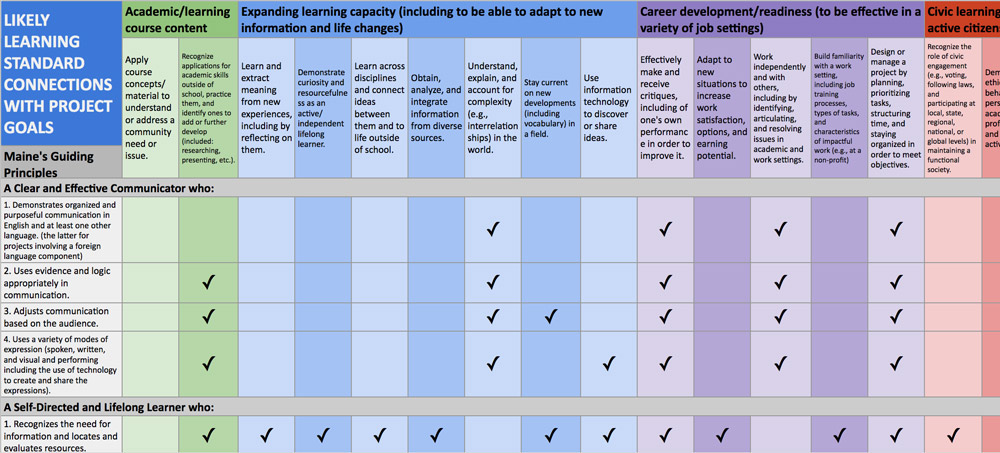
- Planning form with sections for each project step
- Best practices checklist, including for working with community partners
- Ideas for products/deliverables by class subject
Completion
- Project commitments checklists for learners, advisors, and partners
- Real-time access to learner reflecting and progress reporting
- Reflective questions with recommended grade levels
- Suggested assessment questions for advisors, organization representatives, and community members (where applicable)
- Rubric templates for evaluating whole projects, individual parts, or by project goal (partial glimpse)
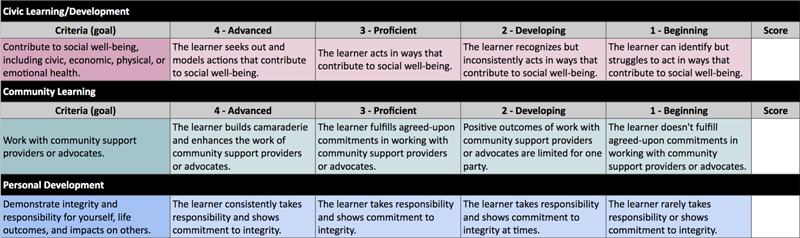
Planning and completing
Maximizing positive outcomes
- Step-by-step planning form
- Project commitments checklist
- Event reporting sections
- Log for recording observations and feelings
- Reflection areas
Maximizing positive outcomes
- Auto-populating project summary (for preparing reports or presentations)
- Tips for making effective presentations (partial glimpse)
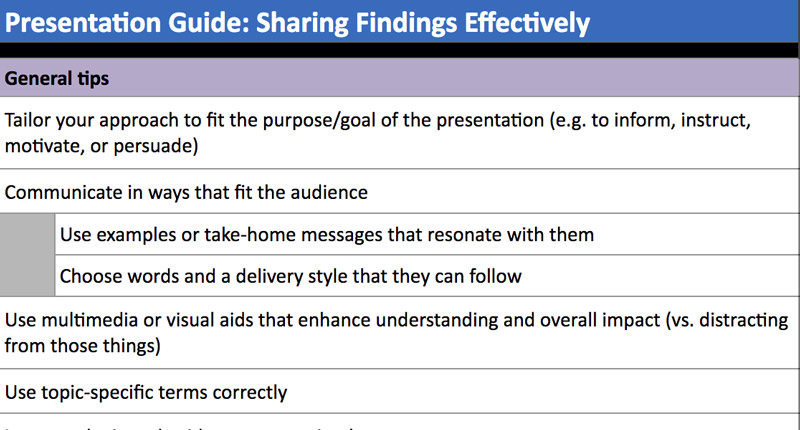
- Self-evaluation section
- Ideas for extending impacts